

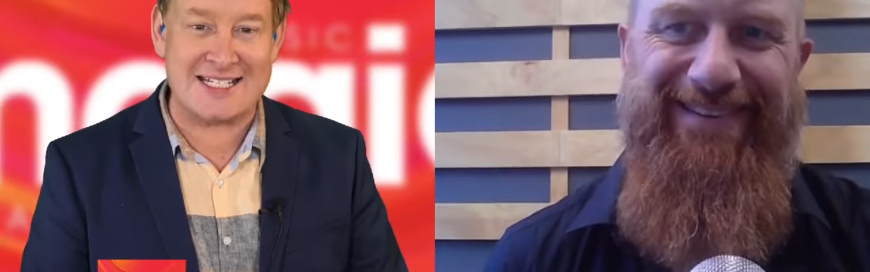
Check out the Interview HERE
Chris (00:00): A leading cyber security expert is reminding New Zealand business owners to wise up when it comes to protecting their online assets. The warning follows a number of businesses, that's big and small, becoming victims of attacks. Daniel Watson, the owner and general manager of Vertech IT Services is with me on this. Good morning to you.
Daniel Watson (00:19): Good morning, Chris.
Chris (00:21): Solutions or services, but we'll call you solutions now. Cyber attacks and scams, they are becoming more and more sophisticated, aren't they? But does that mean more and more small businesses are suffering greatly as a result?
Daniel Watson (00:34): Yes. Yeah, it's becoming more and more prevalent. The way I talk to my clients these days is that when thinking about risk for their business, everybody has fire and general theft type of insurance, right? But nowhere near as many people are covering for the risk of cybersecurity.
Chris (00:55): Why is that? Because we know about all the high profile attacks on government agencies and big businesses, and some of those corporation are not immune to attacks. Does that suggest their systems are insecure in the first place, or is it bigger than that?
Daniel Watson (01:10): I'd say that most small businesses are... If they've not experienced it, they're probably feeling like, "That's something that happens to other people. I'm too small. Why would anybody want to attack me? I've got nothing that anybody would want to steal," which are all absolutely justifiable ways to think but they're not true, because everybody has something that's worth something to a cyber criminal.
Chris (01:41): And I want to discuss that shortly. I mean some businesses are so reliant on platforms they have absolutely no control over. Think things like Facebook, for example. And there are now scams, and this has happened to me, in fact, where criminals replicate genuine Facebook competitions, then they send followers a message saying, "Congratulations, you've won this prize." Then they ask for their credit card details to verify their identity, which is quite clever in a way, to claim the prize. It's a pretty low thing to do but those scams are out there, and I've spoken to many businesses who have done a prize or a competition and sadly their followers have fallen for it. So some of these scammers are very unscrupulous, aren't they?
Daniel Watson (02:20): Yeah. It's a lot of social engineering effort that goes into trying to trick people into things because even if you do have really good antivirus and you've got a good backup and that kind of stuff, the traditional ways of securing things, you, as a person, are quite easily hackable. That's how con men operate, right? They gain your trust or they provide something that appeals to your sense of greed, lust or desire for authority, all these kind of real basic human drives, right? And that's how they suck you in. "Oh, I'm going to get rich quick. Yep. Cool. Click the link. Done. All right. Oh, nothing happened. Oh, well maybe nothing happened." Well maybe you just let somebody into your system and now they're going to rape and pillage your bank account.
Chris (03:05): And sometimes, as you say, these scammers know psychology very, very well, don't they?
Daniel Watson (03:11): Oh, yeah, yeah, yeah. And combine that with the amount of private identifying information which is out there on nearly everyone. Social media is pretty bad for this in terms of you're encouraged to share lots. So the more information there is about you out there on the internet that either you've just given away or has been collected through multiple website breaches, then a smart attacker can accumulate that info and then use that to do things. I had a client who they were lucky in that they were able to stop it happening because they still have a landline. So the attacker had a Kiwi accent, called them up, purported to be from MasterCard anti-fraud office, and had they made a large transaction with... It was one of those, not [Price Buy 00:04:20] but one of those large [crosstalk 00:04:21].
Chris (04:21): Alibaba things.
Daniel Watson (04:22): Yeah, that kind of thing, right? For the value of $378,000 or something like that. Anyway, "Oh, God. No, that wasn't us." "Fair enough. Okay. We need to get some details from you," and yeah, they confirmed, so the guy was giving them their details and then he said to top it off, "All right, just to do a final verification, we're going to be sending you a text message with a verification code and we need you to read that off for us." So what had happened is the attacker was setting up phone banking on their bank account, right?
Chris (04:57): Wow. Yeah.
Daniel Watson (04:58): Right? And they had enough information to get so far, but the bank's got to to send you a text message to verify that it's actually you. So he was tricking them into handing over that two factor authentication. So that guy got access into their bank account through the telephone banking and started doing transactions.
Now they started getting a little bit leery about the whole process so they called up Westpac and said, "Hey, this is what's happening," and while they're on the phone with them they could see the transactions starting to happen and they were able to get blocked and returned, but there's a very small window for that kind of thing. 24 hours, if the money's gone, it's gone.
And one of the other crazy things that happened as part of that attack is the attacker had also called up Vodafone and given them enough information to convince them to put a block on outbound calls of their cell phone. So they could receive the text messages, but they wouldn't be able to call for help.
Chris (06:04): Wow.
Daniel Watson (06:04): Just to delay them from getting hold of the bank in case they switched on. So when we're talking about social engineering attacks, it's never just one thing but there's a combination of all this information flying around on the internet. So you have to be a bit more circumspect about what you give out, making sure it's the minimum amount that needs to be handed over in order to receive a service, et cetera, and then make sure that you're doing things like using good password security.
Chris (06:40): Yeah. I mean, I want to cover off passwords later on in this discussion, but I want to point to something that happened in Christchurch at a company that I know of and that was a Christchurch company had a Facebook page, but some of these scammers managed to infiltrate one of the admin's password personal details by the sounds of things, change the name of this normal [inaudible 00:07:01] to Bitpanda. And the criminal then set about threatening the admins of the page, demanding money, and even hacking into the admin's cell phone, sending him photos of his own family, making all sorts of veiled threats. How can they possibly do this? And even worse, Facebook didn't seem to care.
Daniel Watson (07:20): Yeah. So what's quite common is cyber crime is more commonly about logging in than it is hacking in. Often there's not much techno wizardry involved. There are some very large databases out there on the internet, on the dark web, that can be purchased by cyber criminals, which contain hundreds of millions of user names and passwords and email addresses.
So when they're looking to do a scam, it is reasonably easy to, if they've got somebody they want to target, see if they can find out somebody's email address and see if they got a password listed in there. And then maybe that password was extracted from a website breach, right? And that database gets cracked open, gets shared out in the internet. Now people are just creatures of habit so that password combo with their email address is probably being used on many different websites and it may have been used for many years.
So the chance of something like this happening, or clicking on a credential harvesting scam in on email, right? So that's one where you get an email that says, "Hey, I've got some documents for you. They're available at this link. Click here and put in your password." So you click there and it kind of looks like it could be Dropbox or it could be Google Drive or something like that. So usually there's multiple logos on the same thing, which is a bit of a red flag, and then people use their password and, hm, nothing happens.
It may not trigger any alarms to them right then and there, because then they just carry on with their day because everybody's busy, right? But that password combo has now been siphoned up into somebody's database for using for attacking you later at some later point. So because of that whole creature of habit thing, that is one really significant factor in how people's Facebook accounts get cracked open.
Chris (09:33): It's incredible that you say that. So you reckon there's a whole database on the dark web where people actually, what, pay for people's passwords?
Daniel Watson (09:44): Oh, yeah, yeah. There's loads of them.
Chris (09:45): Unbelievable. Hey [crosstalk 00:09:47].
Daniel Watson (09:47): Yeah. There's a whole dark web economy on that.
Chris (09:49): Yeah. I don't want to go down there. I'll go down a rabbit hole I'll never get out of. Hey, listen. Many cell phone apps that I even use give the option to subscribe to their service using a third party app, usually by going to Facebook first. And me, being lazy, sometimes used to do that, but now I never will because that's an extra layer, isn't it, of insecurity? What are your thoughts on these apps now where it says, "Hey, just sign into what you normally do on Facebook and that'll be easy." That's dangerous, isn't it?
Daniel Watson (10:18): Well, it's very convenient. That's the point of it, right? So you end up having a lot of different tools that you use or applications which are all authenticated by the same user name and password, which is your Facebook account. So the lowest common denominator of the security in that situation is how good you've secured your Facebook account, right? And going back in time, Facebook doesn't have a really good history with security or privacy, so if you're going to do that, I'd focus on improving your linking account. Because you can do this with Google and you can do it with Microsoft, as well. Often those are the three major options.
The first things first, it would be use a strong password and then turn on two factor authentication with Facebook, okay? Because if you don't have that in place, it is just becoming too easy to guess people's passwords and get in. Because there's such a thing as dictionary attacks, so even if they don't know your password, but if they really want to get in, they literally throw a dictionary at the password. And their dictionary is not the Oxford. It's one that combines all common substitutions like P@ssw0rd, and there's lots of people out there going, "Oh, my God. How'd he know my password?"
Yeah, because they've got all the common ones in there too. There's databases of common passwords that people will use. And there's a high frequency of some like Q W E R T Y, you know what I mean? U I O P, right? Because that's the front row of the keyboard...
Chris (12:00): Oh, okay. Right.
Daniel Watson (12:03): Yeah.
Chris (12:03): You got me there.
Daniel Watson (12:03): It seemed random, but it's not.
Chris (12:07): But those second options that you talk about, they're really important, as much as I hate them because they are frustrating where you'll be sent an actual code from Facebook to make sure it's you. Then it takes you to the cell phone, then you got to say, "Yes, that's me logging in." As much as it's a hassle, it's worth that extra protection. It's worth that small inconvenience, isn't it? Particularly if you're a small New Zealand business who's bread and butter relies on Facebook, something that we don't own.
Daniel Watson (12:31): Oh, yeah, yeah. For sure. I mean, one, there's a risk in having too much of your business going through one platform but that's not what we're here to talk about. But in respect to that, yes, if your revenue, money coming through the [inaudible 00:12:46], the thing that is your bread and butter is going through that one platform, you need to make sure that you've got it well secured. So turning on two factor authentication. There's no excuses. Just do it.
Don't reuse the same password. On terms of password security, I'm a big fan of pass phrases so rather than trying to think of a random password with eight characters, chances are you're probably going to forget it in two days time, right?
Chris (13:12): Yeah, I do.
Daniel Watson (13:14): Right. So think of a phrase that's easy for you to remember, like the first line of a song. I wish they could all be California girls, right? Now you can sing that and type that in probably reasonably quickly. Most young people are pretty good on the old typing skills, some of this less so. You can smash that out. You'll never forget it. But it ends up being like a 30 character password which is not going to be sitting in a dictionary. Please don't use that one. And instantly rememberable, right? And if you've got that secured and you've got your two factor authentication, now I recommend you do it on every website that offers it. If you can enable it, enable it.
Now you're going, "Oh, that's a bit of a bugger. I've got all of these sites I've got to two factor into." That's where I recommend go out and get a password management tool. They're cheap as chips. They save you loads of time. You can have random passwords for all of your various websites. You can combine the two factor authenticator app in with the password app so it's quite convenient. It'll fill the password, username and the two factor authentication code onto the website for you and saves you time. It means that you're going to have much better security across all of the websites and tools that you use online.
Chris (14:39): What do you make of the fact that now if you've got a Google account, many people have got Gmail and now Gmail offers all sorts of things, private settings and different things. It even allows you to auto save passwords, all that type of stuff. I'm always a bit iffy about that but, once again, the laziness of me may come into play. I mean, is that safe when Google says, "Would you like me to save your password for next time?" Do I say yes or no? And this happens on anybody's PC or Android phone, doesn't it? It gives you that option.
Daniel Watson (15:06): It does. Yeah. So if you've got a Google account which is attached to your Chrome browser, or what have you, and it's saving those passwords for you, then the convenience is that you can log into that Chrome account on another laptop and it accesses all those passwords. It's all synchronized across, which is pretty cool. If you don't have two factor authentication on your Google account, you've just made it really easy for them to gain access to all of your passwords. So that's something to watch out for.
The other aspect is that if you are a business and you are letting your staff use that tool to gain access to record their passwords for all of the things that your business does online, then when that person leaves your business, all of your passwords are in their personal Gmail account. Mm, awesome, right? So that's another aspect in there which I counsel businesses to get a company-wide password management tool so that you can have a little bit more control about shared credentials and things like that.
Chris (16:20): So important. I've really enjoyed the conversation this morning. Really appreciate your time.
Daniel Watson (16:25): No fuss. Anytime, Chris.
Chris (16:27): Thank you. That is Daniel Watson, the owner and general manager of Vertech IT Services. That's our program with magic talk. Thank you so much for joining us. Have a great weekend.
If you need help with your Data Protection, give us a call - 09 281 4034